While WordPress core and the Crosswinds Framework do an amazing job helping you create your website right from your dashboard, they don’t do everything.
And, to be honest, there are some pretty amazing plugins that do really cool things with the block and site editors.
So if you’re looking to add more functionality for your blocks and the WordPress editors, here are five that I highly recommend that you use.
Want to have more control over what blocks are shown on your website? Wish you could hide a certain block at different screen sizes or for logged in users only?
The Block Visibility plugin from Nick Diego is the plugin you’ll want to use.
The plugin gives you so many different options for how to hide or show various blocks on the page, from browser and device to screen size to cookies to query strings to location on the website and so much more. And there are integrations with WooCommerce, Easy Digital Downloads, Advanced Custom Fields and more.
It’s a great tool that gives you a ton of flexibility with how you build your website. And it’s completely free!
Another great plugin from Nick Diego is the Icon Block.
This block does exactly what the name implies — it allows you to display an icon on the page as its own block.
By default, the block comes with a small-ish library of icons that you can choose from, most of them being the existing dashicons that come with WordPress.
But the real power of the block comes in the ability to add the SVG code for an icon to show instead. So, for example, you could go to FontAwesome, find an icon that you like over there, copy the SVG code for the icon and paste it into the Icon Block to show on the page. It’s fantastic.
From there you can change the color of the icon as well as the background, align the icon and set the width for the icon.
And if you want a live demo of sorts, I use this block all over the theme and plugin pages on this website. If you see an icon on the site, it’s using the Icon Block.
If you need a way to add an icon, this is the block to use.
QuickPost is a great plugin you can use if you’re adding in a lot of content back to back.
With the old WordPress editor, there was always an “Add New Post” button on the edit post screen, so if you were editing one post or had just created a new post, you could jump right into adding another post.
But the block editor doesn’t have that button by default. And it was a pain to have to exit the editor just to be able to add a new post.
This plugin removes that pain. It simply adds in the “Add New Post” button to the top bar of the block editor (next to the preview, save and publish buttons). And if you’re adding in a lot of content in a row, it’s a must have for your website.
While WordPress now has a lightbox style feature for images, it is a bit limited.
So if you want more options for your lightbox, such as users being able to navigate through images in a gallery in a lightbox view without having to click out of the lightbox, this is the plugin for you.
I used it before we got the core lightbox feature, and I loved using it. It’s really easy to use. All you need to do is make sure each image in a gallery links to the image file, not the media page for the image. After that, it creates the lightbox feature for you.
It’s a quick and easy way to create a cool lightbox feature for all of your galleries.
This last one is more developer focused. Sometimes, as a developer, you need divs and other elements to have data attributes. For example, if you want to create an accordion, you’re going to use data attributes that the JavaScript can access to create that functionality.
Adding data attributes to blocks, however, doesn’t have a solution in core. But this plugin does.
You can add in as many data attributes as you want to a block. The interface is super easy to use. And the best part is that you won’t face any block validation errors that you would if you tried to do this all by hand.
If data attributes are something you need on a website, this is the plugin to use.
What Do You Want to See in Crosswinds Blocks?
But now it’s your turn. What would you like to see inside the Crosswinds Blocks plugin? What new blocks would you like to be able to use? What tools would make your life inside the block and site editors a lot easier? Be sure to let me know by filling out the Feature Request form on the website!
Get a Sneak Peak of What's Coming with Crosswinds Blocks v1.2
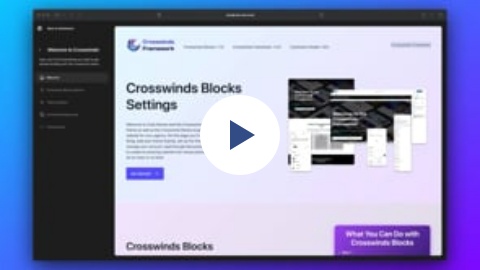
Crosswinds Blocks v1.2 is going to introduce a very big change for the admin screen. Instead of a one-page settings screen that's currently being used, the new version will look like the WordPress site editor screen and what the new WordPress admin experience is going to look like.
Here you'll not only be able to enable or disable blocks, taxonomies and post types like you currently can, but you'll also be able to edit theme settings, install and activate plugins (as you can do now), view documentation without leaving your site and checking out resources.
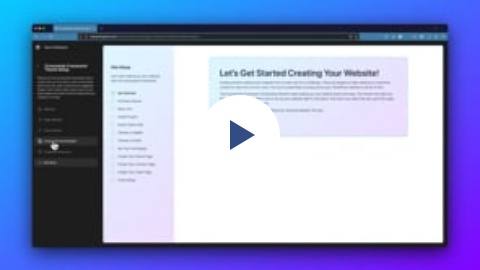
And the most exciting part, at least in my opinion, is the new onboarding sequence you can use if you're using a Crosswinds Framework theme. Here, upon activating both the plugin and theme, you'll be able to activate the theme license, set the color palette, site title, tagline and logo, install and activate required and suggested plugins, import demo content and so, so, so much more.
It will be a great way to get started creating an amazing website with the Crosswinds Framework, whether this is your first WordPress website or your 1000th.
Check out the videos below to get a sneak peak of what you can expect. Crosswinds Blocks v1.2 will likely be released in late March.